

In the vast ecosystem of digital advertising, Google Ads stands as the undisputed king of high-intent customer acquisition. While social media platforms excel at generating interest among passive scrollers, search engine advertising captures users at the exact moment they express explicit demand for a product, service, or solution.
Whether someone is searching for “emergency plumber near me,” “best CRM for small business,” or “buy organic coffee beans online,” Google processes over 8.5 billion searches every single day. Operating within Google Ads allows your business to place targeted messaging directly at the top of search engine results pages (SERPs) precisely when purchase intent is highest.
However, the Google Ads platform has evolved beyond simple keyword bidding. Modern campaigns rely on advanced machine learning models like Performance Max (PMax) and AI Max, automated Smart Bidding strategies, first-party conversion tracking via Google Analytics 4 (GA4), and Responsive Search Ads (RSAs). Without a clear strategy and clean account architecture, advertisers risk wasting ad spend on low-intent clicks.
This ultimate guide breaks down everything you need to know about Google Ads—from account hierarchy and bidding strategies to keyword match types, high-converting ad copy, conversion tracking, and campaign optimization.
1. The Core Architecture of Google Ads
To run profitable Pay-Per-Click (PPC) campaigns, you must first master the structural hierarchy of a Google Ads account. Organizing your campaigns cleanly ensures maximum ad relevance, higher Quality Scores, lower Cost-Per-Click (CPC), and better overall Return on Ad Spend (ROAS).
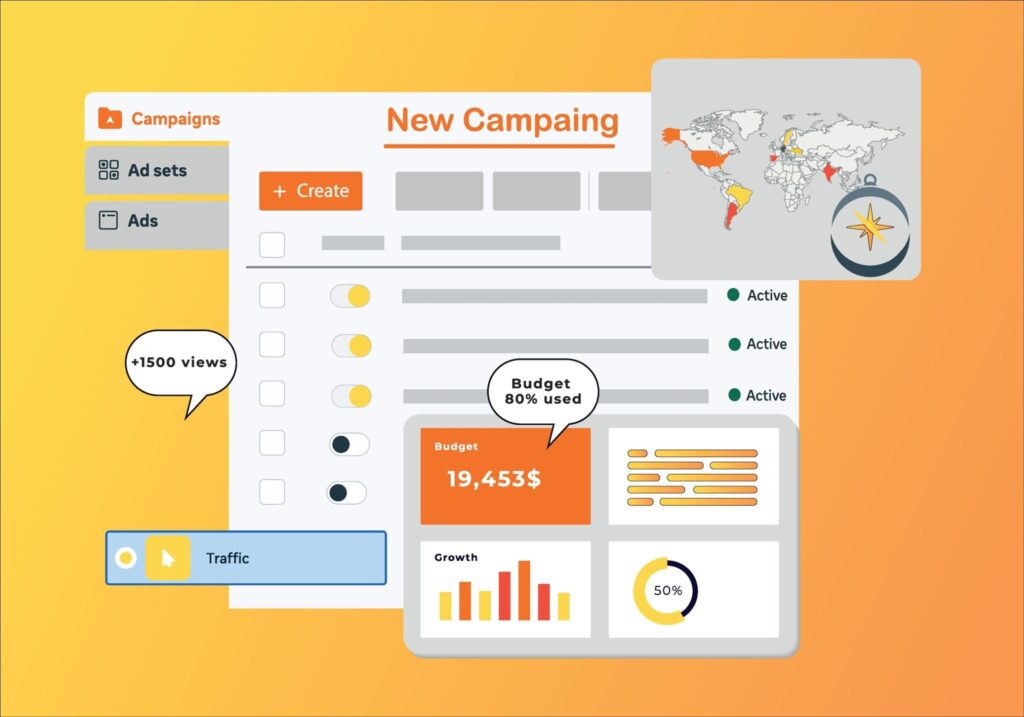
Google Ads campaign management dashboard for structuring campaigns and ad groups. Source: Anastasia Volkova / Getty Images
The 5-Level Google Ads Account Hierarchy
+———————————————————————–+
| LEVEL 1: ACCOUNT LEVEL |
| – Unique Login Credentials, Billing Information, Time Zone, Currency |
+———————————————————————–+
|
v
+———————————————————————–+
| LEVEL 2: CAMPAIGN LEVEL |
| – Campaign Type (Search, PMax, Display, Shopping, YouTube) |
| – Daily Budget, Bidding Strategy, Networks, Geographies, Languages |
+———————————————————————–+
|
v
+———————————————————————–+
| LEVEL 3: AD GROUP LEVEL |
| – Tightly Themed Subcategories (e.g., “Commercial Plumbing”) |
| – Default Bids & Specific Landing Page Destinations |
+———————————————————————–+
|
v
+———————————————————————–+
| LEVEL 4: KEYWORDS & TARGETING |
| – Target Search Terms, Match Types (Exact, Phrase, Broad) |
| – Negative Keywords & Demographic Adjustments |
+———————————————————————–+
|
v
+———————————————————————–+
| LEVEL 5: AD COPIES & ASSETS (EXTENSIONS) |
| – Responsive Search Ads (Headlines, Descriptions) |
| – Sitelinks, Callouts, Structured Snippets, Image Assets, Calls |
+———————————————————————–+
- Account Level: The overarching container housing your business settings, billing profile, time zone, and primary conversion goals.
- Campaign Level: Where you define high-level strategic parameters, including your advertising network, location targeting, device preferences, daily budget, and bidding model.
- Ad Group Level: Containers within a campaign that group closely related keywords under a unified theme.
- Keyword Level: The specific search queries and match types that trigger your ads when users search on Google.
- Ad & Asset Level: The creative headlines, descriptions, sitelinks, callout extensions, and images presented to the user on search results pages.
2. Choosing the Right Google Ads Campaign Type
Google Ads provides multiple campaign formats tailored to different sales channels, business models, and buyer journey stages. Selecting the right format is critical to reaching your intended audience efficiently.
Comparing search and network ad placement ecosystems within digital marketing. Source: BestForBest / Getty Images
Comparison of Google Ads Campaign Types
| Campaign Type | Primary Channel & Surface | Ideal Business Goal | Best Suited For |
| Search Campaigns | Google Search Engine & Search Partners | High-intent lead generation & immediate sales | Local service providers, B2B SaaS, professional services |
| Performance Max (PMax) | Search, Shopping, YouTube, Display, Gmail, Maps | Omnichannel conversion cross-surface scaling | E-commerce stores with product feeds & high conversion data |
| Shopping Campaigns | Google Search Shopping Tab & SERP Top Visuals | Direct product sales with visual pricing | Retailers and e-commerce stores using Google Merchant Center |
| Demand Gen Campaigns | YouTube Shorts/In-Stream, Discover, Gmail | Visual engagement & upper-funnel brand awareness | Lifestyle brands, consumer apps, visual products |
| Display Network | 2M+ Partner Websites, Blogs, & Mobile Apps | Remarketing & broad brand exposure | Cross-device retargeting & top-of-funnel awareness |
3. Mastering Keyword Research and Match Types
Keywords are the lifeblood of Google Search campaigns. To win auctions without overspending, you must align your targeted terms with real user search intent.
Understanding Keyword Match Types
Google Ads utilizes three main keyword match types, each serving a specific balance between reach and precision:
[Exact Match] —> Highest Relevance, Lowest Reach (Strict Intent)
|
v
[Phrase Match] —> Balanced Relevance & Reach (Includes Meaning)
|
v
[Broad Match] —> Lowest Relevance, Maximum Reach (Requires Smart Bidding)
1. Exact Match [keyword]
- How It Works: Triggers ads only when a user searches for the exact meaning or close intent of your keyword.
- Example: [commercial roofing contractor]
- Best Use: Capturing high-converting, bottom-of-funnel search terms where every click must count.
2. Phrase Match “keyword”
- How It Works: Triggers ads for search queries that include the core meaning of your keyword, even if additional words precede or follow it.
- Example: “commercial roofing contractor” (Triggers for “best commercial roofing contractor in Chicago”).
- Best Use: Balancing control and volume while maintaining query relevance.
3. Broad Match keyword
- How It Works: Triggers ads on searches related to your keyword, including synonyms, misspellings, related topics, and intent variations.
- Example: commercial roofing contractor (May trigger for “industrial roof repair companies”).
- Best Use: Scaling conversion volume when paired with Smart Bidding strategies and robust negative keyword lists.
The Critical Role of Negative Keywords
Negative keywords prevent your ads from displaying for irrelevant, low-intent, or non-converting search terms. Failing to build negative lists wastes ad budget on non-converting traffic.
- Standard Negative Categories to Exclude:
- Job-seeking queries: careers, jobs, hiring, resume, salary
- Bargain queries: free, cheap, DIY, torrent, open source
- Informational research: definition, Wikipedia, course, training, tutorial
4. Unlocking the Google Quality Score Engine
The Quality Score is Google’s rating (graded on a 1-to-10 scale) of the quality and relevance of your keywords, ad copy, and landing pages. A higher Quality Score directly reduces your Cost-Per-Click and improves your ad placement rank.
Ad Rank=Max Bid×Quality Score+Asset Impact
The Three Components of Quality Score
- Expected Click-Through Rate (eCTR): Google’s prediction of how likely users are to click your ad when shown for a specific keyword.
- Ad Relevance: How closely your ad headlines and descriptions match the underlying search intent of the user query.
- Landing Page Experience: How relevant, fast-loading, mobile-friendly, and transparent your landing page is once a user clicks through.
+———————————————————————–+
| QUALITY SCORE OPTIMIZATION CYCLE |
+———————————————————————–+
| Tight Ad Group Themes —> High Ad Relevance —> Higher CTR |
| | |
| Lower CPC & Better Ad Rank <— High Landing Page Match <+ |
+———————————————————————–+
Pro Tip: Never direct paid ad traffic to your website’s home page. Create dedicated landing pages that directly match the headline, offer, and keyword intent of the ad group.
5. Smart Bidding Strategies and Financial Planning
Before launching a campaign, you must choose a bidding strategy that aligns with your financial capabilities and campaign objectives.
Manual vs. Automated Smart Bidding
- Manual CPC: Gives you full manual control over maximum bid amounts per keyword. Best used during new account launches with limited historic conversion data.
- Maximize Conversions: Automated bidding that spends your full daily budget to secure the highest volume of conversions possible.
- Target CPA (Cost Per Acquisition): Automatically sets bids to achieve as many conversions as possible at or below your target cost-per-lead goal.
- Target ROAS (Return on Ad Spend): Automatically adjusts bids in real time to hit a specified profit margin (ideal for e-commerce with varying cart sizes).
Financial Break-Even Formula
Before opening Google Ads, establish your financial parameters using the break-even CPC calculation:
Break-Even CPC=Conversion Rate (%)×Profit per Sale ($)
If your conversion rate is 5% and your profit per sale is $200, your break-even CPC is $10. Setting bids below this threshold ensures campaign profitability.
6. Crafting High-Converting Responsive Search Ads (RSAs)
Responsive Search Ads allow you to input up to 15 unique headlines and 4 descriptions. Google’s machine learning continuously tests combinations to identify the best-performing combinations for every search query.
+———————————————————————–+
| RESPONSIVE SEARCH AD (RSA) COMPOSITION |
+———————————————————————–+
| HEADLINES (Up to 15 Variations): |
| – Include Primary Keyword in 3+ Headlines |
| – Highlight Unique Selling Points (USPs) & Guarantees |
| – Strong Action-Oriented Calls to Action (CTAs) |
| |
| DESCRIPTIONS (Up to 4 Variations): |
| – Address Customer Pain Points & Clear Benefits |
| – Add Social Proof, Numbers, and Risk Reversal Offers |
+———————————————————————–+
Essential Ad Extensions (Assets) to Include
Ad extensions expand your ad’s screen real estate on SERPs, raising your click-through rate:
- Sitelink Assets: Direct links to internal sub-pages (e.g., Pricing, Case Studies, Contact Us).
- Callout Assets: Non-clickable text snippets highlighting perks (e.g., 24/7 Support, Free Shipping, Certified Experts).
- Structured Snippets: Categorized lists showing brands, models, or service types offered.
- Call Assets: Displays your business phone number directly within mobile search results.
7. Conversion Tracking: The Foundation of Success
Never spend a single dollar on Google Ads without verifying that conversion tracking is installed correctly. Running campaigns without tracking conversion data prevents bidding algorithms from optimizing performance.
Essential Setup Checklist
- Link Google Analytics 4 (GA4): Connect GA4 to import key user events and cross-channel journeys.
- Set Up Google Tag Manager (GTM): Use GTM to deploy conversion tags for form submissions, button clicks, and phone calls.
- Enable Enhanced Conversions: Transmit hashed first-party customer data securely to Google to bridge tracking gaps caused by browser privacy controls.
- Define Conversion Value: Assign actual monetary value to conversions so Smart Bidding models can optimize for revenue rather than raw lead count.
Conclusion: Building a Scalable Google Ads Machine
Google Ads remains one of the most reliable growth engines for modern digital businesses. Success requires a clean account structure, continuous keyword refinement, compelling ad copy, strong landing page alignment, and precise conversion tracking. By combining automated bidding tools with disciplined manual oversight, you can build a scalable PPC campaign that yields consistent, high-ROAS returns.